
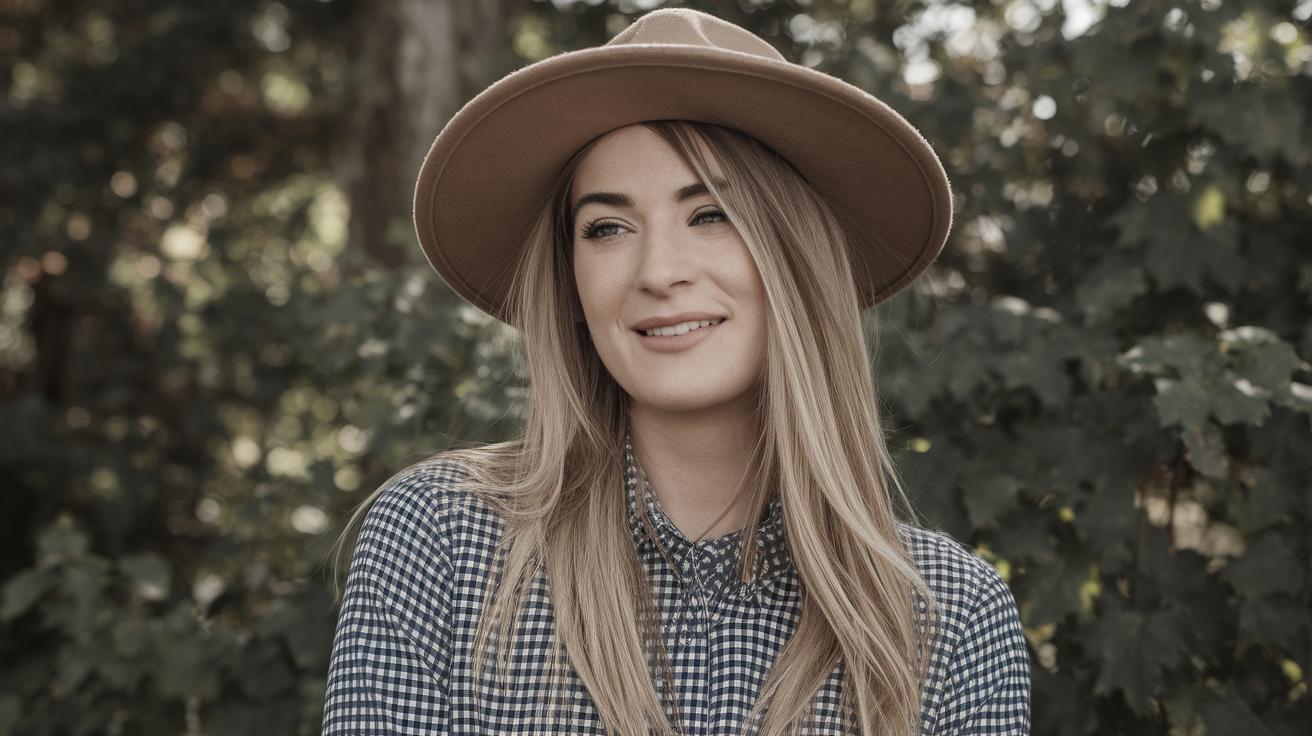
Freebie Photoshop Photo Effects
In the world of digital artistry, Photoshop actions are invaluable tools that streamline and elevate your creative process. These predefined commands allow photographers and designers to apply intricate effects and processes to their images with a single click. This extensive guide delves into a curated list of 32 free Photoshop actions that span various categories, from photo filters to special effects, to enhance your creative work. Explore the details and applications of these actions and learn how to incorporate them into your workflow to create stunning, professional-quality images.
Free Photoshop actions: Photo filters
01. Coffeeshop
The Coffeeshop action is perfect for photographers looking to add a warm, rich tone to their images. This action enhances the depth and contrast, giving photos a cozy, comfort-inducing feel reminiscent of those intimate café moments. It works wonderfully with portraits and lifestyle shots, adding an inviting warmth that draws viewers in.
By utilizing deep earthy tones and enhancing skin textures, the Coffeeshop action provides a versatile filter effect that complements various photography styles. Its subtle atmosphere alteration can transform an image’s mood, making it perfect for artistic expression.
02. Cross Process
The Cross Process action mimics the effect of developing film with the wrong chemical, yielding bright, exaggerated colors and a look that is distinctive and nostalgic. This action is ideal for those looking to infuse their photos with a vintage-inspired, edgy touch.
Often used in fashion and editorial photography, the Cross Process effect emphasizes contrast and color saturation, offering a surreal and artistic look. It’s a favorite among creatives aiming for a standout visual impression.
03. Winter Blues
Winter Blues is an action designed to transform ordinary images into chilly, atmospheric masterpieces. It injects cool blue tones to emulate the serene and frosty ambiance of a winter landscape.
Perfect for landscapes and portraits alike, Winter Blues creates a crisp atmosphere, accentuating whites and blues. This action is particularly well-suited for enhancing photos taken during the colder months or invoking a wintery feel in any image.
04. Nightmare
The Nightmare action brings a darkly vivid transformation to your images. It bathes photos in haunting hues, creating eerie, moody atmospheres that align with themes of mystery and suspense.
Great for conceptual photography or creating dramatic landscapes, the Nightmare action intensifies shadows and alters hues to give a foreboding, dream-like quality that commands attention and sparks curiosity.
05. Pastel Effect
For a soft, dreamy look, the Pastel Effect action is your go-to tool. It transforms images with delicate, muted pastels, adding an ethereal quality that softens sharp details and mimics pastel paintings.
Particularly effective for wedding photography, portraits, and feminine themes, this action lends a gentle and romantic touch to your imagery. It’s also favored for editorial spreads and lifestyle blogs that aim for a lighter, more sophisticated aesthetic.
06. Mystical Light
Mystical Light is crafted to infuse images with ethereal illumination. By enhancing light rays and adding a touch of glow, this action captivates and transforms everyday scenes into magical settings.
This action is especially useful for outdoor shots where natural light is a focal point or when you want to bring out the radiant qualities of natural lighting in both portraits and landscapes.
07. Hazy Afternoon
The Hazy Afternoon action provides a soft glow reminiscent of a lazy, sunlit afternoon. It gently blurs and softens images, creating a nostalgic, daydream-like atmosphere.
It’s perfect for capturing the warmth of a sun-drenched scene or for imbuing ordinary images with a nostalgic sentimentality. Ideal for glamming up nature shots, family portraits, or simple, serene visuals.
08. Bella
Bella is a versatile action that is designed to enhance feminine portraits with a gentle and romantic appeal. This action amplifies skin tones with a subtle glow while maintaining the natural color balance.
With Bella, portrait photographers can achieve that coveted soft-focus look that is highly desirable in beauty and fashion work. It enhances detail while preserving the natural allure of the subject.
Free Photoshop actions: Vintage photo filters
09. Creamy Vintage
The Creamy Vintage action bathes images in a delicate, old-world charm. It adds a creamy texture and mimics the aged appearance of color photographs taken decades ago, perfect for achieving an authentic vintage look.
This action is suitable for those pursuing a refined nostalgic feel in their projects, giving digital photos the character and depth of analog film.
10. Ultra Faded
Ultra Faded lends an antiqued, washed-out look to photographs. This action desaturates and bleaches colors for an old, faded appearance that is strikingly similar to a beloved, well-aged photograph.
It’s ideal for artistic projects where the goal is to create an impression of history or timelessness. Perfect for conceptual photography or creating photographic memories that feel steeped in history.
11. 2-strip Technicolor
Relive the early days of color cinema with the 2-strip Technicolor action. It takes inspiration from one of the first color film processes, enhancing reds and greens to give photographs a unique visual flair.
This action is particularly captivating for themed shoots or when aiming to replicate the look of archetypal Hollywood films. It’s a distinctive choice for injecting historical charm and cinematic drama into your photos.
12. Polanoid Generator 3
The Polanoid Generator 3 action is your best friend if you’re nostalgic for the iconic Polaroid aesthetic. It applies borders and emulates that classic instant film feel with slight vignette and saturation tweaks.
This action is perfect for social media posts, family photos, and any project longing for the instant-film allure, providing that recognizable Polaroid look with just one click.
13. The Mini Collection
The Mini Collection offers a set of vintage effects often found in old photographs. This action set provides versatility and choice to suit varying project requirements, from sepia tones to faded black and whites.
Each action within this collection yields a different vintage feel, allowing photographers to experiment and find the perfect tone for their creative vision. It’s an all-rounder for the vintage enthusiast.
14. Set14
Set14 is a collection of actions designed to add a hint of vintage aesthetic with modern usability. Featuring a mix of soft tonal effects, Set14 is perfect for enhancing images with a subtle retro flair.
From correcting color tones to providing unique finishes, this action set is great for photographers looking to give their digital images a sense of antiquated character without overpowering the original composition.
Free Photoshop actions: Monochrome photo filters
15. Bold B&W HDR
Bold B&W HDR is an action that provides black and white photographs with high dynamic range. It accentuates details and depth, enriching the textures and contrasts in your images.
This action is perfect for photographers who wish to create stunning, high-contrast black and white images that retain every detail from the highlights to shadows. It’s great for architectural shots and moody portraits.
16. Infrared Photography
If achieving an ethereal look with stark contrasts is your goal, the Infrared Photography action is invaluable. It simulates the otherworldly appearance of infrared film, with dramatic light contrasts and surreal color inversion.
It’s ideal for landscapes and artistic projects where the aim is to create something uniquely unobtainable through traditional methods, adding an extraordinary and dreamlike quality to images.
17. High Key
With the High Key action, you can produce bright, minimalistic black and white images that emphasize light over shadows. It’s excellent for creating elegant, ethereal photographs that focus on simplicity and form.
This action is perfect for fashion shoots and portraits where capturing the subject’s expression and form is key without the distraction of background noise.
18. Lithprint
Lithprint replicates the dark, grainy style of lithographic printing. This effect is often chosen for its rugged, artistic feel, which transforms ordinary photos into works resembling an artist’s craft.
It’s suitable for bringing artistic gravitas to images, ideal for fine arts photography or when a dramatic, textured appearance is desired.
19. Old and Dirty
The Old and Dirty action lends photographs an aged, timeworn quality, complete with scratches and worn textures. This effect is perfect for creating a mood of rustic nostalgia.
If your project calls for an impression of weathering or historical depth, this action bestows a feeling of history and character, suitable for anything from conceptual photography to set designs and artistic book covers.
Free Photoshop actions: Touch-up techniques
20. Reduce Motion Blur
Motion blur can sometimes be an unwanted effect in photography, especially when aiming for crisp, clear images. The Reduce Motion Blur action is designed to sharpen details and bring subject clarity back into your shots.
This action is a lifesaver for action shots or any indoor photography where stabilizing the camera might not be enough, ensuring that your images retain their intended definition and precision.
21. Sharpen
A fundamental tool in any photo-editor’s arsenal, the Sharpen action enhances subtle details, making your images crisp and ensuring that textures stand out.
Especially useful for portrait and landscape photographers, sharpening helps to highlight intricate surface details, bringing dynamism and focus to your photography.
22. 5 Skin Retouching Actions
This set of actions is an essential toolkit for portrait photographers aiming to perfect skin tones and textures without the painstaking manual work. It offers a variety of retouching methods to address blemishes, uneven tones, and more.
Each action is tailored to different retouching needs, allowing for customization and adjustment to achieve natural, flawless-looking skin that maintains the original character and warmth.
23. Soft Skin Tones
The Soft Skin Tones action focuses on enhancing skin luminescence and smoothness, providing a polished and professional finish to portraits without losing the subject’s natural depth and detail.
This action is particularly suited to beauty and fashion photography, where smooth, glowing skin tones can significantly affect the visual appeal of the image.
24. Remove White Background
For product photographers or those looking to repurpose images, the Remove White Background action simplifies the process of isolating subjects from their backdrops, providing a clean, professional result.
It’s particularly useful for e-commerce and catalog photography, where background removal is often necessary for clear, distraction-free presentation of products.
Free Photoshop actions: Special effects
25. BlackNull’s Modern Artist Action Set
This action set provides a multitude of artistic effects, from canvases to watercolor elements. It’s designed to let you rock your inner artist and easily transform regular photos into mind-blowing visual art.
It’s perfect for creating magazine covers, posters, or any design project that could benefit from a radical artistic overhaul. The sheer creativity encompassed in these actions is sure to impress.
26. Powder Explosion Free Photoshop Action
Bring energy and excitement to your projects with the Powder Explosion action. It simulates the effect of bursting colors of powdered pigments, adding a dynamic, kinetic vibe to static images.
Ideal for dramatic portraiture or to add visual excitement to product photography, this action is a spectacular way to make your images stand out.
27. Dispersion Effect
The Dispersion Effect action allows you to transform photos into dynamic, fragmented scenes. It creates an illusion of part of the image dispersing into thin air, adding motion and interest to still images.
This effect can dramatically change the narrative and focus of a photo, perfect for abstract and artistic imagery that commands a second glance.
28. 3D Isometric Map
The 3D Isometric Map action is a game-changer for creating stylized, map-like representations from aerial photos or data-based visualizations. It transforms a 2D photo into a 3D isometric map with depth and detail.
Ideal for graphic designers working in educational, architectural, or urban planning domains, this action can turn basic data into visually appealing, easily interpretable isometric graphics.
29. Stickers and Tape
The Stickers and Tape action allows you to give your photos a fun, scrapbook-like appeal. It adds shapes, stickers, and tape effects that resemble items affixed to journals and diaries.
This is perfect for creating playful collages or adding personalized touches to event invitations and handmade cards, offering a unique and creative way to present photos.
30. Fold Paper
Transform your images into folded paper works of art with the Fold Paper action. It provides an illusion of real paper folds, creating a tactile, three-dimensional effect on your two-dimensional photos.
This action can give a creative twist to brochures, invitations, and flyers, offering a sophisticated and artisanal touch to visual presentation.
31. Pxl Bitmap
The Pxl Bitmap action presents a pixelated bitmap effect that is evocative of retro gaming graphics, imbuing photos with a unique and nostalgic digital aesthetic.
Perfect for modern designs that require a nod to retro technology, this action is also ideal for creating vintage digital art and adding distinctive characteristics to contemporary photographs.
32. Cyberpunk
Cyberpunk action immerses images in a high-tech, neon-lit aesthetic reminiscent of futuristic cities and sci-fi narratives. It enhances vibrancy and creates piercing contrasts among blues, pinks, and purples.
For photographers and designers seeking to invoke a genre-specific feel, this action is perfect for translating futuristic and otherworldly vibes into promotional materials, concept art, and street photography.
What are Photoshop actions?
Photoshop actions are predefined sets of instructions or steps that you can record and reuse on different images, streamlining your editing process and achieving consistent results. They are invaluable for photographers and designers, rapidly applying complex effects and enhancing photos without manual intervention.
Actions cover a wide range of possibilities, from subtle tonal adjustments to complete image overhauls. They enable both amateur and professional users to experiment with different styles and effects while keeping editing times down and quality high.
How do I install Photoshop actions?
Installing Photoshop actions is a straightforward process. First, download your desired action and ensure it has a ‘.atn’ file extension. Open Photoshop, locate the ‘Actions’ pane via the ‘Window’ menu, and click on the options menu in the panel’s upper right corner.
Choose ‘Load Actions,’ navigate to your downloaded action file, and select it. The action will now be available in your Actions panel, ready to be applied to your images with a single click. Make sure to adjust settings as necessary for optimal results.
Get the Creative Bloq Newsletter
Stay updated with the latest trends and tutorials in the digital creative space by subscribing to the Creative Bloq Newsletter. Receive monthly insights directly in your inbox that can bolster your skills and keep you ahead in your projects.
Future Prospects
Exploring these free Photoshop actions can significantly enhance your workflow and expand your creative expression in digital photography and design. By utilizing these tools, you not only increase your efficiency but also enrich the quality and impact of your visual storytelling. Experiment with each action to discover new dimensions in your artistic pursuits.
| Category | Photoshop Actions |
|---|---|
| Photo filters | Coffeeshop, Cross Process, Winter Blues, Nightmare, Pastel Effect, Mystical Light, Hazy Afternoon, Bella |
| Vintage photo filters | Creamy Vintage, Ultra Faded, 2-strip Technicolor, Polanoid Generator 3, The Mini Collection, Set14 |
| Monochrome photo filters | Bold B&W HDR, Infrared Photography, High Key, Lithprint, Old and Dirty |
| Touch-up techniques | Reduce Motion Blur, Sharpen, 5 Skin Retouching Actions, Soft Skin Tones, Remove White Background |
| Special effects | BlackNull’s Modern Artist Action Set, Powder Explosion Free Photoshop Action, Dispersion Effect, 3D Isometric Map, Stickers and Tape, Fold Paper, Pxl Bitmap, Cyberpunk |

