
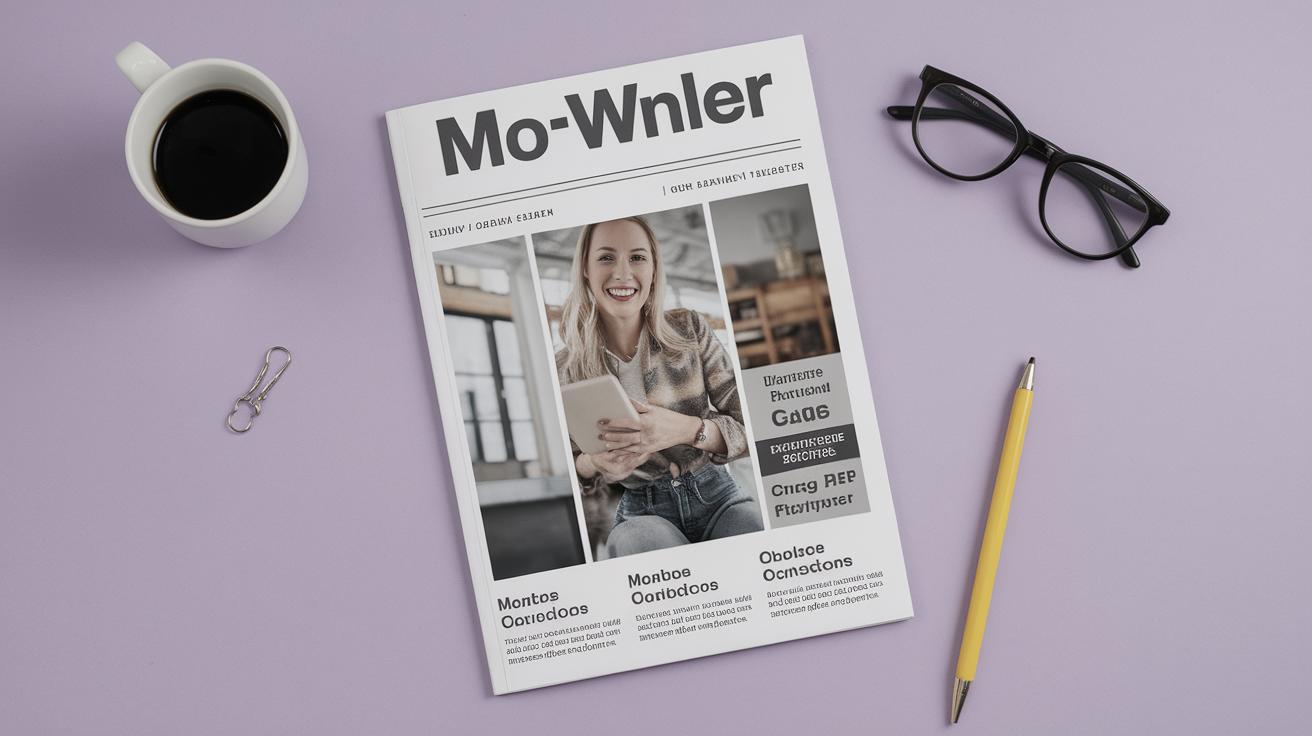
Exploring Free InDesign Magazine Templates for Your Creative Projects
In the realm of design, the right template can transform a project from mundane to magnificent. Adobe InDesign provides a powerful platform for crafting stunning layouts, and free magazine templates offer a fantastic starting point for designers and creatives. This blog post delves into a curated collection of free InDesign magazine templates that cater to a variety of design preferences and project requirements. Whether you’re working on a fashion spread, food magazine, or marketing booklet, these templates serve as a valuable resource to streamline your creative process and enhance your output. From minimalistic designs to colorful brochures, discover how these templates can elevate your projects with professional finesse.
Of the week
For those who crave a dynamic and fresh layout each week, a constantly updated template can be a game-changer. Weekly templates ensure that designers have access to current design trends and can keep their magazine issues looking modern and relevant. These templates provide the structure necessary for a consistent publication, but with enough flexibility to reflect each publication’s unique voice.
Such templates often include editable text and image placeholders, making it easy to swap in new content. By selecting a template of the week, designers can find renewed inspiration and motivation to create engaging content regularly. This approach not only saves time but also maintains a level of freshness in every issue.
Minimal & Modern InDesign Magazine Template
Simplicity speaks volumes in design, and minimal magazine templates epitomize this philosophy. The Minimal & Modern InDesign Magazine Template provides a sleek and clean layout, ideal for showcasing high-quality imagery and concise text. It’s an excellent choice for brands and publications that value subtlety and elegance in their visual presentation.
This template stands out with its strategic use of white space, allowing content to breathe and gain a spotlight where necessary. The minimal style not only enhances readability but also reduces distractions, honing in on what matters most — the content. With customizable features, this template serves as a canvas for creative expression while maintaining a sophisticated and polished look.
Free Minimal Magazine InDesign Template
Perfect for those embarking on editorial projects without a hefty budget, the Free Minimal Magazine InDesign Template is an accessible option for designers of all levels. This template embodies simplicity, facilitating a professional appearance without overwhelming design elements that cloud content clarity.
Its layout features crisp lines and a restrained color palette, enabling designers to implement a cohesive visual identity throughout their magazine. The template’s straightforward approach ensures that content remains king, making it suitable for art, photography, and lifestyle magazines where imagery is paramount.
InDesign Magazine Template
An all-around InDesign Magazine Template offers a comprehensive solution for publishers. With versatile layouts and multi-purpose functionality, this template adapts to various content types and design themes. Whether it’s for corporate communication, event promotions, or creative portfolios, the template provides the essential tools for a polished final product.
This flexible design incorporates both spread and single-page formats, including ample text and image areas to complement various narrative structures. It enables customization, allowing groups to maintain a unique flair in each issue while benefiting from a consistent underlying layout.
D-Zine Free Magazine InDesign Template
The D-Zine Free Magazine Template offers a modern twist on digital publishing. Characterized by bold typography and innovative layout choices, it caters to audiences who appreciate contemporary and experimental design styles. This template stands out by providing a distinctive visual experience, setting a publication apart from traditional magazines.
Its design elements are carefully balanced to create a striking aesthetic without overwhelming content. Ideal for creatives exploring the intersection of art and editorial work, this template is a valuable tool in crafting a magazine that appears fresh and exciting.
Food Magazine InDesign Template
Targeted at the gastronomically inclined, the Food Magazine InDesign Template offers specialized layouts that highlight culinary delights. This template is tailored for food bloggers, culinary magazines, and chefs looking to present recipes or restaurant reviews attractively.
It incorporates stunning visual elements, colorful spreads, and dynamic text options that bring dishes to life on the page. The template’s design ensures that each recipe receives the spotlight it deserves, enhancing readers’ engagement with mouth-watering visuals and well-organized text.
Free Magazine InDesign Template
For those seeking versatility without cost, the Free Magazine InDesign Template delivers a myriad of possibilities for budding designers. Imbued with the potential to cater to various topics and formats, this template provides multiple layout options to support both text-heavy articles and image-centric features.
Its broad appeal makes it an excellent choice for a wide range of publications, from academic journals to lifestyle guides. By facilitating easy customization of fonts, colors, and structure, it empowers users with creative freedom to define their magazine’s identity.
Stunning Photography Magazine Template for InDesign
Photography is an art that demands a special layout to do justice to its visual impact, and the Stunning Photography Magazine Template for InDesign delivers just that. Designed to focus on high-quality imagery, it provides expansive layouts that allow photographs to command attention.
The template’s sophisticated design integrates text minimally, ensuring that photographs receive the bulk of viewer focus. This makes it an ideal choice for photographers and photojournalists, showcasing portfolios and visual essays in a compelling manner.
Modern Fashion Magazine InDesign Layout
For the ever-evolving world of fashion, the Modern Fashion Magazine InDesign Layout offers templates imbued with trendsetting designs. Emphasizing aesthetics, each layout positions fashion imagery as the centerpiece, supported by stylized typography and chic design elements.
From editorial spreads to seasonal lookbooks, this template supports creativity in fashion narratives. It deftly showcases collections, style guides, and designer interviews in a manner that appeals to fashionistas and industry insiders alike seeking a visually arresting presentation.
Colorful Shop Brochure Layout for InDesign
The retail and commerce sectors gain immense value from the Colorful Shop Brochure Layout for InDesign, offering vibrant pages designed to captivate potential customers. The template is perfect for shop owners and marketers eager to highlight new collections, sales, or product features.
With a charismatic and lively color scheme, this template draws readers in and maintains their interest through carefully constructed visual elements. Its versatility extends beyond catalogs, doubling as a robust tool for creating captivating marketing collateral.
Stylish Food Magazine Template for InDesign
The Stylish Food Magazine Template for InDesign elevates culinary publications with its elegant design and sophisticated layout options. It’s expertly crafted to highlight both culinary creations and chefs’ stories, marrying visuals with engaging textual content.
Perfect for high-end culinary magazines, blogs, or cookbooks, this template supports a refined presentation style. The use of decorative design elements and rich imagery ensures that each issue feels luxurious and inviting to readers.
Bernard Fashion InDesign Magazine Template
The Bernard Fashion InDesign Magazine Template brings a classic touch to modern fashion layouts. It features a blend of traditional and contemporary styles that resonate well with readers who appreciate timeless elegance in their fashion reads.
With structured columns and formal typography, this template provides an ideal framework for long-form articles, designer interviews, and fashion commentary. Its design maintains a well-organized flow, facilitating an effortless reading experience.
Simple Magazine Cover Template for InDesign
A magazine cover makes the first impression, and the Simple Magazine Cover Template for InDesign offers an accessible path to create impactful first impressions. With its straightforward yet striking design, it sets the tone for what readers can expect within.
This template emphasizes bold visuals alongside strategic typography, making it suitable for a variety of magazine genres. Simplicity does not equate to plainness; instead, it offers a clean canvas for creative cover designs that can allure and intrigue potential readers.
Multi-Purpose Magazine InDesign Template
Flexibility is the hallmark of the Multi-Purpose Magazine InDesign Template, crafted to support a range of content from lifestyle features to business reports. This adaptable template offers diverse layout options accommodating articles, images, and infographics.
It is designed to assist publishers in creating a cohesive magazine identity, even when tackling an array of topics. With its balance of textual and visual elements, this template acts as a universal ally for multi-topic magazines seeking streamlined design capabilities.
Fashion Magazine Cover Template
The Fashion Magazine Cover Template prioritizes visual impact, an essential aspect of captivating fashion audiences. By focusing on image-led designs and statement typography, it creates a compelling entryway to any fashion publication.
Given fashion’s visual nature, this template ensures that every magazine cover is bold and memorable, setting the stage for the content inside. Its striking layout is particularly advantageous in a crowded market, helping issues stand out on shelves.
Marketing Booklet Template for Adobe InDesign
For professionals in marketing and communications, the Marketing Booklet Template for Adobe InDesign offers an effective means to present information clearly and appealingly. It’s designed to support promotional materials, brand guidelines, and strategy presentations.
This template features layouts accommodating data visualization, concise text, and strong imagery, aligning with the objectives of marketing materials to inform and intrigue potential clients or stakeholders. Offering a polished and professional appearance, it enhances the efficacy of any marketing message.
Sport Magazine InDesign Template
Tailored for sports enthusiasts and publications, the Sport Magazine InDesign Template combines dynamic layouts with bold imagery to bring athletic stories to life. It caters to sports magazines, fitness guides, and athlete profiles, focusing on vitality and motion.
This template embodies the energetic essence of sports through impactful images and branding, providing a platform to showcase athletes’ achievements and sports event highlights compellingly.
Grid Wireframe Editorial Layouts for InDesign
The Grid Wireframe Editorial Layouts for InDesign serve as an initial blueprint for content organization, ideal for users who prefer constructing layouts from scratch. It offers structured grids conducive to uniform alignment and proportional balance across the magazine.
Designers can craft bespoke layouts that precisely align with their project’s aesthetic, leveraging the grid for creativity while ensuring logical content flow. This template is perfect for artists and writers who enjoy customizing their editorial pieces to match a particular style.
Santal Magazine & Editorial Templates for InDesign
Santal Magazine & Editorial Templates for InDesign offer a unique stylistic approach combining minimalism with bold imagery, suited for high-end publications wanting a polished and contemporary look. This collection emphasizes quality and sophistication with each template.
Perfect for magazines aiming for a sleek and modern aesthetic, Santal Templates provide layouts that balance text and visual elements harmoniously, ensuring a luxurious presentation for content covering culture, art, and design.
Summit Magazine InDesign Template
The Summit Magazine InDesign Template is designed to tackle outdoor and adventure narratives, ideal for publications covering nature, travel, and exploration. Its expansive image fields and rugged typography echo the natural world’s grandeur.
By utilizing panoramic spreads and immersive visual storytelling, this template evokes the spirit of adventure in every issue, enticing readers with the call of the wild through beautifully crafted design.
Archtype Magazine InDesign Template
Ideal for architectural and design publications, the Archtype Magazine InDesign Template celebrates form and function with clean lines and structural layouts. It’s tailored for showcasing architectural projects, interior designs, and urban planning features, ensuring a precise focus on detail.
Designed with architectural precision, this template is perfect for magazines that discuss innovative designs, construction trends, and aesthetic principles, offering a technical yet visually pleasing reading experience.
Hubspot Free Ebook Templates for InDesign
Hubspot’s Free Ebook Templates for InDesign bridge the gap between traditional magazine layouts and digital publishing needs. Ideal for creating ebooks and digital manuals, these templates offer layouts that emphasize readability and fluid navigation.
They support multimedia content, ensuring a comprehensive digital reading experience. Such templates are invaluable for content marketers and educators seeking to distribute information vividly and interactively.
Professional & Clean Magazine InDesign Template
The Professional & Clean Magazine InDesign Template is a no-nonsense option that focuses on delivering content with clarity and professionalism. It caters to business, finance, and educational publications requiring straightforward and authoritative design approaches.
With its subtle color palette and elegant typography, this template ensures that information is communicated effectively without unnecessary embellishments, making it perfect for detailed reports and analytical content.
Memphis Design-Inspired Magazine Layout for InDesign
Embracing the bold and colorful essence of Memphis design, the Memphis Design-Inspired Magazine Layout for InDesign is perfect for creatives wanting to make a statement. It combines vibrant geometric patterns with striking typography to inject energy into any publication.
Ideal for art, music, and youth culture magazines, this template brings a sense of playfulness and innovation, capturing attention and inviting readers into a world of bold creativity and expression.
Hipster Magazine Template for InDesign
The Hipster Magazine Template for InDesign caters to indie publications that thrive on retro aesthetics and eclectic visuals. Incorporating vintage-inspired elements, this template offers a charming balance of nostalgia and modern flair.
From showcasing artisanal products to music reviews and lifestyle features, this template’s authentic style is well-suited for audiences who value uniqueness and creative craftsmanship in editorial design.
Free Instruction Book InDesign Template
For those looking to create instructional content with ease, the Free Instruction Book InDesign Template provides a comprehensive layout for step-by-step guides and educational material. It features modular design elements allowing easy incorporation of processes, diagrams, and tips.
This template is ideal for DIY manuals, technical guides, and educational booklets, offering clarity in visual instruction and engaging user interactivity. It facilitates efficient communication of complex ideas in a structured and attractive format.
Modern Magazine Cover Template for InDesign
Magazine covers are often a design centerpiece, and the Modern Magazine Cover Template for InDesign ensures your publication’s cover is as compelling as its content. With contemporary design principles, this template combines sleek typography with eye-catching visuals.
This template offers a versatile starting point for creating magazine covers across genres, providing maximum flexibility and impact, ensuring every edition stands out on the newsstand or online platform.
Newspaper Template for InDesign
The Newspaper Template for InDesign aligns with classic journalism principles while embracing modern design sensibilities. Ideal for news publications, it delivers layouts that accommodate breaking news, feature stories, and editorial content.
This template maintains a necessary balance: a commitment to the integrity of journalistic presentation with enough contemporary elements to engage today’s readers, bridging the past and the present in newspaper design.
Summary of Main Points
| Template | Description |
|---|---|
| Minimal & Modern InDesign Magazine Template | Sleek, minimalist design ideal for showcasing imagery and concise text. |
| Free Minimal Magazine InDesign Template | Accessible, simple design for art and lifestyle magazines focusing on content clarity. |
| D-Zine Free Magazine InDesign Template | Bold typography and innovative layouts for contemporary publications. |
| Food Magazine InDesign Template | Designed for culinary content with vibrant visuals and recipe-focused layouts. |
| Stunning Photography Magazine Template | Emphasizes high-quality photography with minimal text interference. |
| Modern Fashion Magazine InDesign Layout | Trendsetting designs for fashion narratives and industry insider appeal. |
| Professional & Clean Magazine InDesign Template | Focuses on clarity and professionalism for business or educational publications. |
More Adobe InDesign Templates
Diving deeper into Adobe InDesign, countless other templates cater to every creative need, from event pamphlets to comprehensive book layouts. Platforms offering such templates ensure that whether you have a specific project in mind or seek general inspiration, there’s something for everyone to explore.
Related Topics
Further exploration can expand knowledge on related topics such as typography, layout balance, and color theory, which are crucial in maximizing the potential of InDesign templates. Understanding these elements offers designers the tools to craft compelling narratives alongside aesthetically pleasing visuals seamlessly.

